
If you’re not sure where to find the information you need for your law firm, we’re here to help!
You can go through the sections below to direct you to the specific information you are trying to find. If you’re having any difficulties, please reach out to us directly at (254) 272-5207 or yourpower@acaseforwomen.com. We’re here seven days a week to help support you through this process.
Finding Username
If your child is logged in:
Mobile (iOS/Android)/Tablet App
Open the Roblox App on your child’s device.
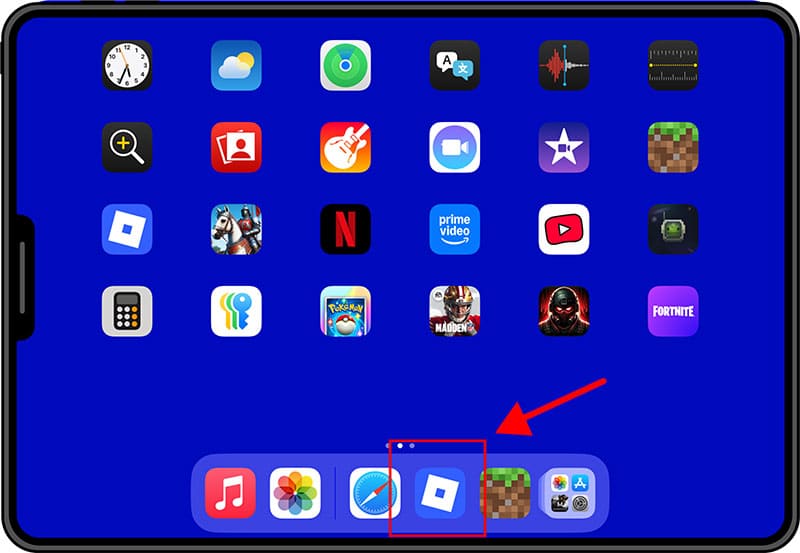
Tap the Avatar Icon located at the bottom of the screen.
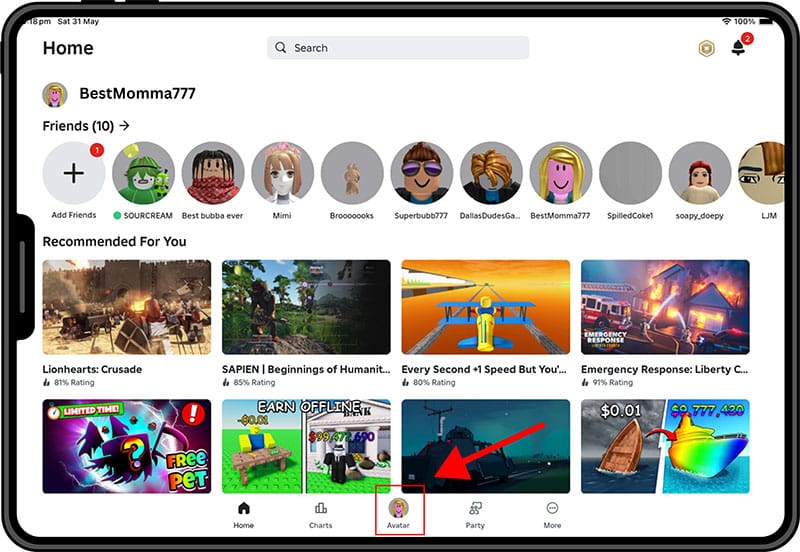
View the Username displayed at the top of the profile page.
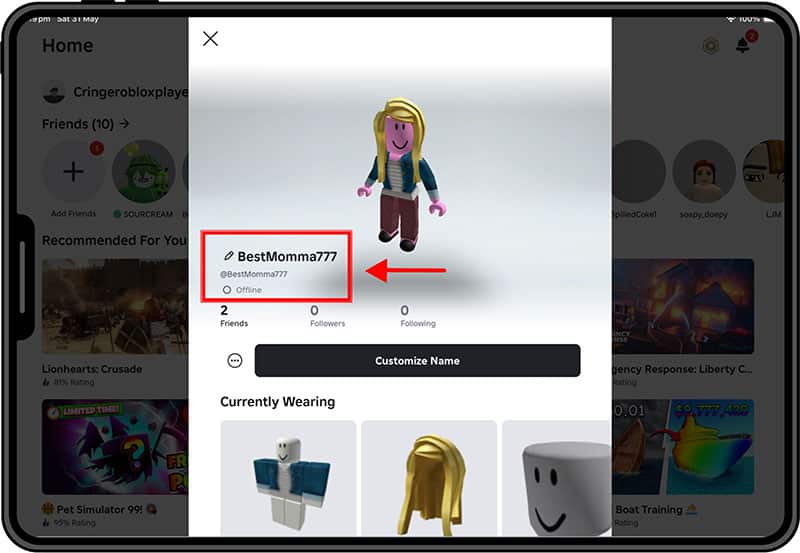
Note: The username is different from the display name, which may appear more prominently.
Desktop/Web
- Navigate to roblox.com and ensure your child is logged in.
- Click on the Avatar Icon in the upper-right corner.
- Select “Profile” from the dropdown menu.
- View the Username displayed on the profile page.
If you know your child has been logged into a device in the past, it can also be helpful to check the internet browser or iOS settings where the information may have been stored or saved. Look for links in browser history that might include the account name, or saved log in information stored on the device.
If your child is not logged in (need help logging in/finding info)
If Caregiver Have Access to the Registered Email
- Go to the Roblox Account Recovery Page: https://www.roblox.com/login/forgot-password-or-username
- Click on “Forgot Username?”
- Enter the Registered Email Address associated with your child’s account. You will see a confirmation message. Please make sure to type your email exactly as it is entered on the account
- Check Your Email for a message from Roblox containing a list of usernames that match the account.
For detailed instructions, refer to the official Roblox support article: I Forgot My Username: https://en.help.roblox.com/hc/en-us/articles/360028719931-I-Forgot-My-Username
If Caregiver Have Access to the Registered Phone Number
- Go to the Roblox Account Recovery Page: https://www.roblox.com/login/forgot-password-or-username
- Click on “Forgot Username?”
- Select the phone tab.
- Select your country code.
- Enter the associated number into the Phone Number box and press Continue. This will send an SMS with a code to confirm it’s your account. You will then access a list of usernames that are associated with that phone number.
If You Have a Caregiver-Managed Account
- Log In to Your Caregiver Account on roblox.com or the Roblox app.
- Access Settings by clicking the gear icon (web) or the three dots (mobile).
- Navigate to “Parental Controls”.
- View Linked Child Accounts and their usernames.
NOTE: Unsure if you set up parental controls for this app? You would have had to create your own Roblox account in order to do so.
For more information on managing parental controls, visit: Parental Controls FAQ: https://en.help.roblox.com/hc/en-us/articles/30428248050068-parental-Controls-FAQ
Checking through in game purchases
The only other way to locate a username if you do not have any of the other information above is if your child made a purchase on Roblox and you have that purchase receipt. Some purchase receipts include the username of the account used to make the purchase, and you can locate it there.
Caregiver has located multiple usernames associated with email/phone number for their child
Within Roblox, someone can add up to five accounts using the platform’s “Account Switcher.” Accounts on the account switcher are completely private and only stored on the device used to play the game. This feather only works for users registered as 13 years or older and accounts without parent privileges. If you locate more than one username associated with your child – ID’ing which one was used at the time of the abuse is very helpful. Providing that they had multiple accounts can also be beneficial for the firm. Does your child recall which username they were using during the abuse, did it occur across multiple usernames?
Finding Games
If your child is logged in:
Mobile (iOS/Android)/Tablet App
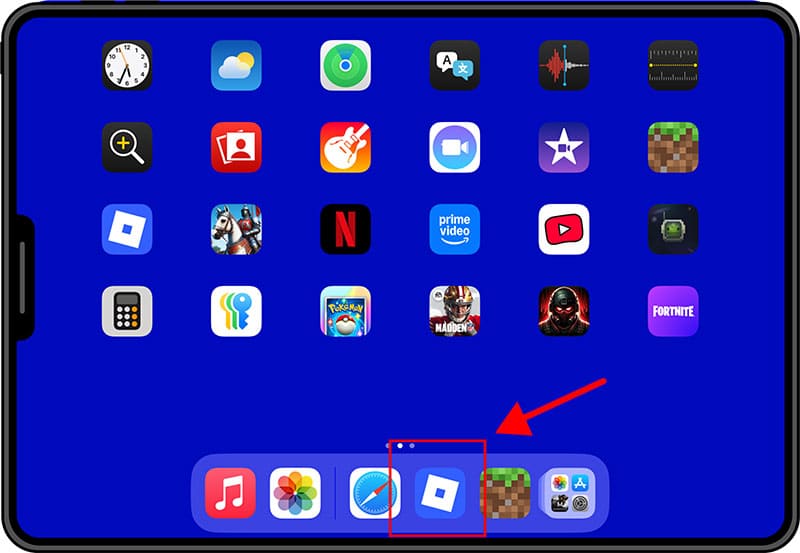
Open the Roblox App on your child’s device.
Tap the Home icon at the bottom left.
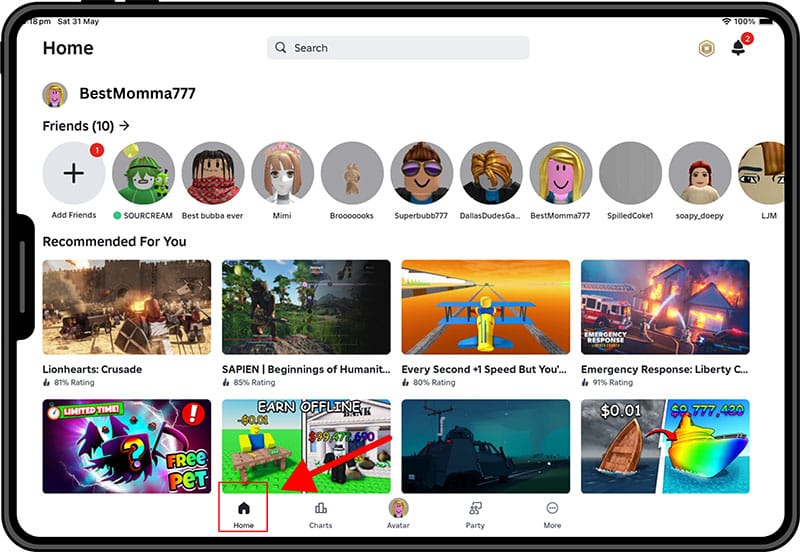
Scroll down to the “Continue” or “Recently Played” section.
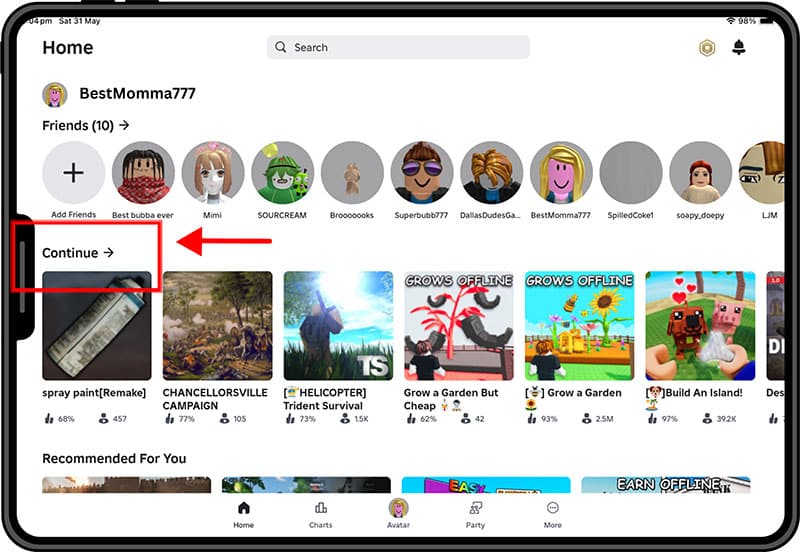
These show the most recent games your child has accessed.
On Desktop/Web (roblox.com)
- Go to https://www.roblox.com and make sure your child is logged in.
- Click the Home icon in the upper-left.
- Scroll to the “Continue Playing” section.
- You’ll see tiles of recently accessed games.
- Click a game to open its detail page (includes description, developer info, and age rating).
If your child is NOT logged in:
If You Know Your Child’s Username
- Go to: https://www.roblox.com/users/USERNAME/profile
(Replace USERNAME with your child’s Roblox username.) - On their profile, scroll down to view:
- Favorites (games they’ve marked as favorites)
- Friends Playing (games their friends are active in)
⚠️ This only works if their profile is not set to private.
If You Have Access to the Child’s Device
If Roblox is installed on a device you can access (e.g. shared tablet or home computer):
- Open the Roblox app or go to roblox.com.
- Ensure the child is logged in.
- Go to the Home screen.
- View the “Continue Playing” section for recent activity.
What Roblox does not provide:
- ❌ A complete play history
- ❌ Timestamps of when each game was played
- ❌ A caregiver dashboard showing full activity logs
Finding Chats
This is where you may be able to find the abuser’s username or screen name
If your child is logged in:
Mobile (iOS/Android)/Tablet App
Open the Roblox app.
Tap the More icon (three dot icon) in the bottom navigation bar.
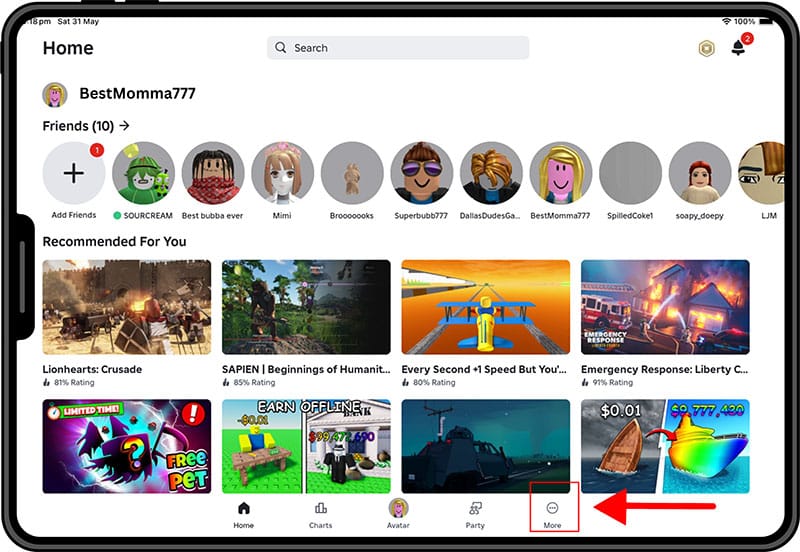
A list of recent chat conversations will appear — including:
- Private 1-on-1 messages
- Group chats
- Friend requests or message requests (if enabled)
Tap any conversation to read the message history (if the child hasn’t deleted it).
If your child is NOT logged in:
If You Know the Username But Can’t Log In
Roblox chat history is only visible when logged in to the account — it’s not publicly accessible by searching a username. In this case:
- Try recovering access using the email or phone number associated with the child’s account (reset password page).
- If you regain access, follow the steps above.
What Roblox does not provide:
- ❌ Chat transcripts are not emailed or viewable from a caregiver account
- ❌ There is no parental dashboard showing all chat activity
- ❌ Deleted chats cannot be recovered through normal access